
Module · Manage
Business decisions,
in one place.
From last night’s sales to what is worth changing today: cash, exceptions, menu, recipes and a daily report ready to review.
See it in a demo- Summary Sales, identified cost and contribution by day. Tap a day to see its checks.
- Cash close How the cash that should be there adds up: float, payments, movements and count.
- Menu Every drink and dish, classified with two questions: does it sell, and does it leave margin?
- Recipes and cost Each product's recipe with its current cost. Missing ones are generated with AI and you review them.
- Intelligence Cross sales by server, time of day or product and open the checks behind each cell.
- Daily report A working paper with sales, costs and alerts, ready to review and save as PDF.
Four ways to see it
Manage, from sale to document.
Analytics
Sales, costs and categories with a path to the source check.
See intelligence →02 · ReviewAudit
Cash close, exceptions and movement history by shift.
See daily control →03 · PrepareFiscal and accountant
An illustrative daily report, local charges, sign-off and CFDI recovery.
See the fiscal flow →04 · ReconcileBank
Settlements, cash deposits and expenses with references and open items.
See the example →Daily control
From activity to a clear decision.
Summary
Sales, identified cost and contribution by day. Tap a day to see its checks.
Cash close
Float, payments, movements and count: how the cash that should be there adds up.
Exceptions
Voids, comps, discounts, refunds and price changes, with who and when.
Audit
Every manager authorization and sensitive operation stays in the log.
Menu
Every product classified: does it sell, does it leave margin?
Recipes
The recipe for each drink and dish, with its current cost.
Taxes
A review of your sales before the global invoice.
Daily report
Sales, costs and alerts in a working paper you save as PDF.
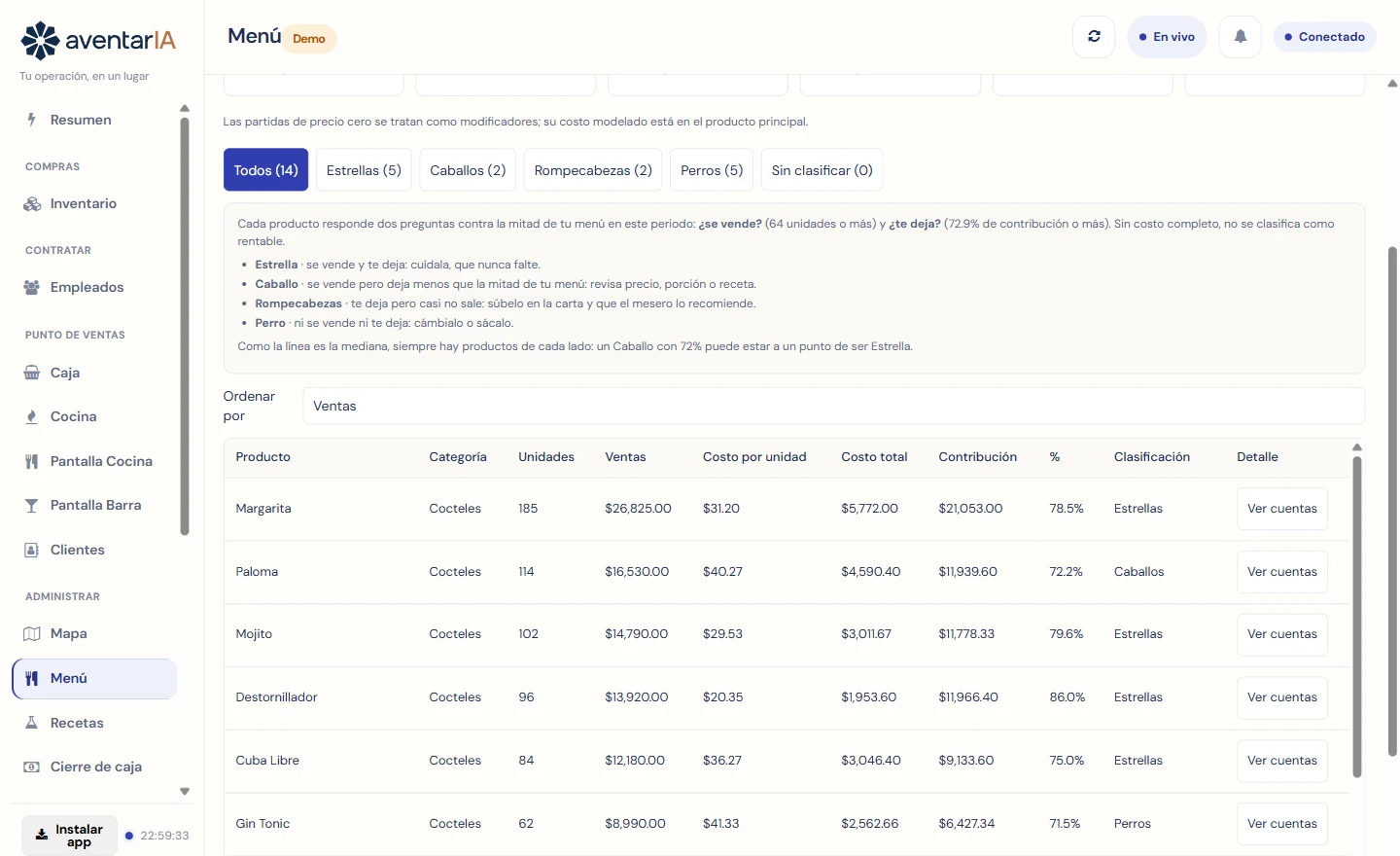
Menu engineering
What to protect, what to push and what to drop from the menu.
Each product is compared against the middle of your own menu. Star: sells and leaves margin. Workhorse: sells but leaves less. Puzzle: leaves margin but rarely sells. Dog: neither sells nor leaves margin.
Cash
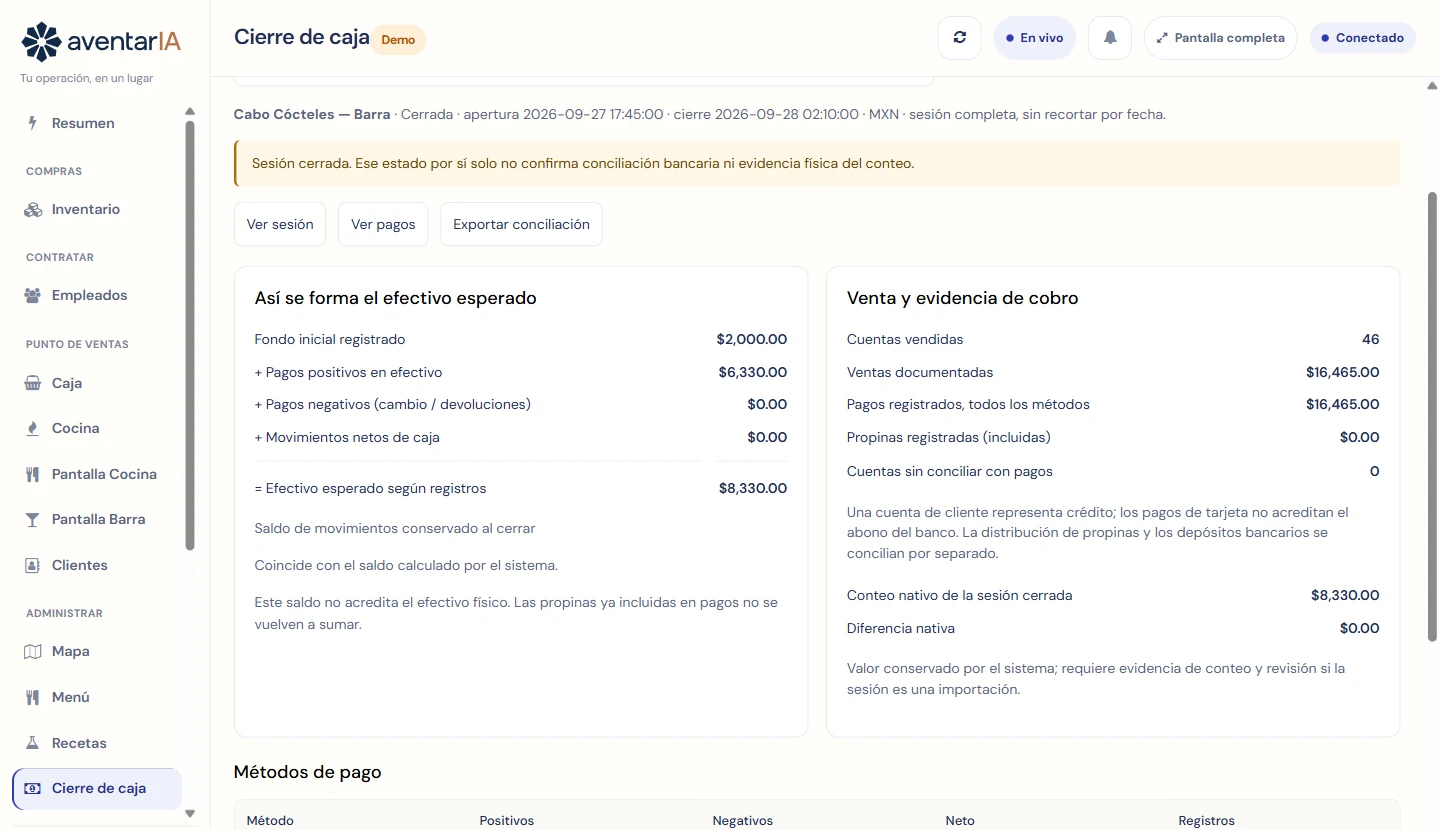
The cash that should be there, explained line by line.
Opening float, cash payments, change and cash movements, next to the checks sold and the payments recorded. If something does not add up, you know in which session and who closed.
Connected work
The figures come from the operation, not from separate data entry.
What you sell comes from Point of sale; what it costs, from Purchasing. Manage is part of the Operación plan. See pricing
See how it all fits.
Explore Manage with our demo bar. See illustrative bank reconciliation examples →
Request a demo